Light and Dark Theme
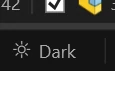
Vitreo has a dark and a light look. Dark is the standard. Switch with one click in the status bar.
To switch the theme:
- Click Dark or Light in the status bar. The word shows the theme you use now.
The whole window changes at once, the logos too.
Good to know
- Your choice follows your account. Your other PCs take it at their next start.
- The start screen uses the same theme.
- The item boxes stay white in both themes, so the SOLIDWORKS previews keep their own colors.
- Some forms, such as the update form and the sign-in form, are always light.