Settings Pane Overview
The Settings pane is one scrolling list of sections. Each section opens and closes with a click on its header.
To open the Settings pane:
- Click the Settings icon (the gear) in the left icon strip.
- Click a section header to open it.
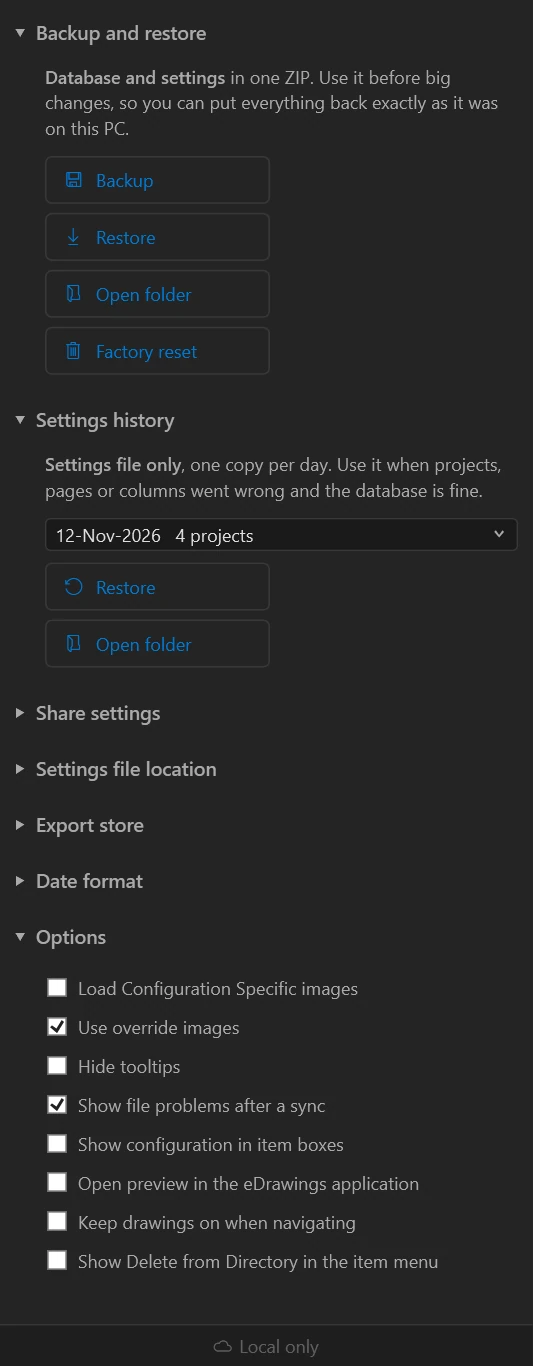
The sections
| Section | What you do there |
|---|---|
| Backup and restore | Save the database and all settings in one ZIP file. Restore it, or reset Vitreo. See Backup and Restore. |
| Settings history | Go back to the settings of an earlier day. See Settings History. |
| Share settings | Give your templates and settings to a colleague as one file, or take over theirs. See Share Settings. |
| Settings file location | Open the folder of the settings file (user-settings.json). Support may ask for it. |
| Export store | See how many converted files Vitreo keeps on this PC, and clear the store. See The Export Store. |
| Date format | The format of every date Vitreo writes. See Date Format. |
| Options | Eight check boxes for the look and behavior of Vitreo. See Options. |
The sync state
The bar at the bottom of the pane shows if your settings are saved on the server.
| You see | It means |
|---|---|
| Synced to server | Your synced settings are saved on the server. |
| Syncing... | Vitreo sends the settings now. |
| Sync failed. Retrying | The server could not be reached. Vitreo tries again by itself. |
| Local only | You are not signed in. The settings stay on this PC. |
Not everything follows your account. See Settings That Sync.
Note The database tools (Sync database, Recreate, Compact) are in the Database Pane, not here.