Where Used
The Where used section of the Item Info pane lists the assemblies that use the file, and the page where each assembly is a home item.
| Choice | Looks in |
|---|---|
| All pages in project | The folders of every page of the open project. This is the default for every new file. |
| Full database | Every folder Vitreo has read, other projects included. |
Each row shows the assembly, its item box text, and the project and page where the assembly is a home item. No project and page means no page shows that assembly.
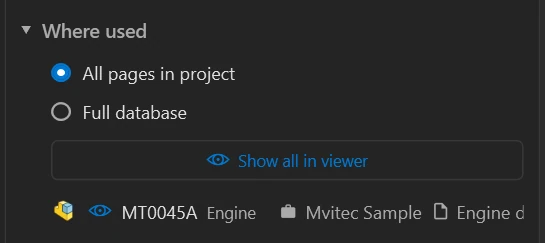
To see the assemblies as item boxes:
- Click the eye in front of a row to show that assembly in the File Viewer.
- Or click Show all in viewer to show every assembly of the list at once.
The navigation bar shows the level as WhereUsed (Bracket) or WhereUsed (All). Click Back to return.
Good to know
- Not used in any assembly means no assembly in the chosen folders uses the file. Try Full database.
- Database not available means the Vitreo database is not open yet.